What Is Google Business Profile?
Google Business Profile (previously known as Google My Business) is a free tool that helps businesses manage how they appear on Google Search and Google Maps. Think of it as your digital storefront — giving potential visitors quick access to important information like your location, hours, contact details, website, photos, and customer reviews.
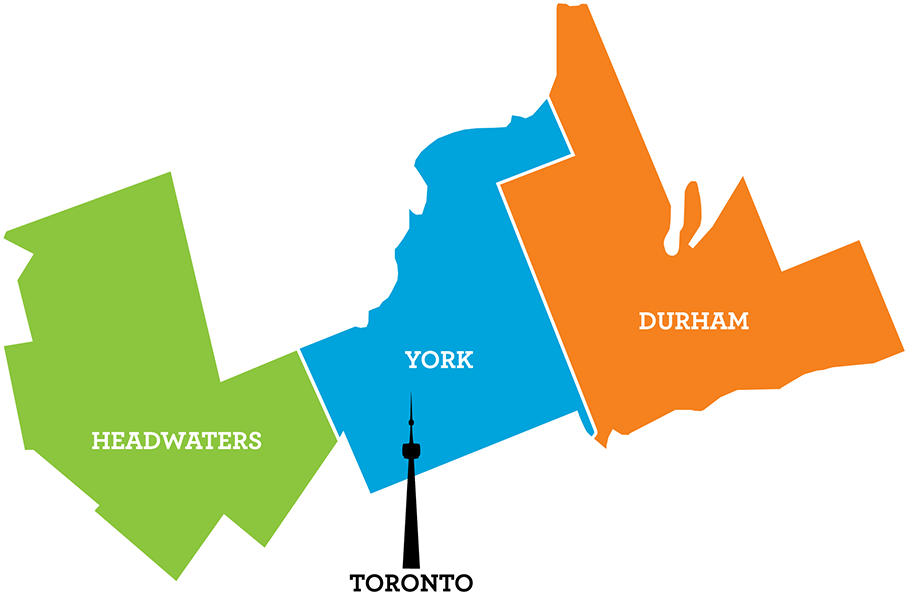
For tourism businesses, this is especially important. Whether you operate a restaurant in Durham, a bed-and-breakfast in Headwaters, or an attraction in York Region, an optimized Google Business Profile helps ensure your business can be easily found when visitors are planning their next trip, dining experience, or day out.
Why Your Google Business Profile Matters
Imagine a potential visitor searching for:
- “breweries in Durham Region”
- “family-friendly attractions in York Region”
- “restaurants near me”
- “things to do in Headwaters”
In many cases, your Google Business Profile may be the first impression they have of your business — often before they ever visit your website.
An optimized profile helps improve visibility, build trust, and encourage visitors to take action. An unclaimed or outdated profile, on the other hand, can result in missed opportunities and visitor uncertainty.
When users click on a Google Business Profile, they can quickly access important information such as contact details, directions, hours of operation, photos, customer reviews, and website links. Actively managing your profile ensures this information remains accurate, up to date, and visually appealing.
Below is an example of what visitors may see when searching for family-friendly attractions in York Region. Profiles with strong visuals, complete information, and recent activity are more likely to stand out and encourage engagement.

Key Benefits of Managing Your Profile
Stand Out in Search Results
A complete and active profile improves your visibility in Google Search and Google Maps, helping more potential visitors discover your business.
Build Trust and Credibility
Accurate information, updated photos, and thoughtful responses to reviews help demonstrate professionalism and reliability.
Encourage Visitor Action
Features like website links, booking options, menus, FAQs, and directions make it easier for visitors to take the next step.
Showcase Your Experience
High-quality photos and regular updates allow you to highlight seasonal experiences, events, promotions, and what makes your business unique.
Common Google Business Profile Mistakes
Even businesses with strong visitor experiences can miss opportunities online if their profile is incomplete or outdated. Some of the most common issues include:
- Outdated Hours: Incorrect seasonal or holiday hours can frustrate visitors and lead to lost business.
- Missing Photos: Profiles without quality images are less likely to capture attention or encourage engagement.
- Incomplete Information: Missing website links, phone numbers, or business descriptions make it harder for visitors to take action.
- Unanswered Reviews or Questions: Responding to reviews and questions shows visitors that your business is active and engaged, while helping build trust and credibility.
- Inactive Profiles: Businesses that never post updates or refresh content can appear less active or relevant to potential visitors.
A few simple updates can significantly improve how your business appears in search results and how confidently visitors choose your experience.
Getting Started
Don’t leave potential visitors guessing — claim and optimize your Google Business Profile today. Whether you’re setting up your profile for the first time or looking to make better use of your existing one, here are a few simple steps to help you get the most from it:
1. Claim or create your profile.
2. Complete your business information, including contact details, hours, website, and a compelling description.
3. Add high-quality photos and keep your profile updated with relevant information such as events, seasonal offerings, or promotions.
4. Monitor and respond to reviews and customer questions to build trust and strengthen customer relationships.
5. Review your profile performance to better understand how visitors are finding and engaging with your business.
Your Google Business Profile is often one of the first touchpoints visitors have with your business. Keeping it accurate, active, and engaging helps ensure your business isn’t just seen; it’s chosen.
Taking a few minutes to review and maintain your profile can make a meaningful difference in how visitors discover and engage with your business online.
Looking for more guidance? Google has developed a Best Practices Playbook to help businesses optimize their Google Business Profile. The guide includes tips on profile setup, photos, reviews, business information, and other features that can help improve visibility on Google Search and Maps. Download Google’s Business Profile Best Practices Playbook below.